
How to Open a UDP Port Without a Public IP
UDP carries everything where speed beats perfect delivery: voice chat and most game servers. Forwarding UDP ports on a router is a headache of its own, and on a shared IP it is impossible outright. Here is how to open a UDP port with a ProximaTunnel tunnel.
What runs on UDP
UDP does not acknowledge delivery and does not reorder packets — but it never waits for a lost one either. For voice and game engines, a dropped packet beats the delay of resending it.
| Service | Typical port |
|---|---|
| CS 1.6, Day of Defeat, Condition Zero, Sven Co-op (GoldSrc) | 27015 |
| Valheim | 2456–2458 |
| Rust | 28015 |
| Minecraft Bedrock Edition | 19132 |
| TeamSpeak 3 (voice) | 9987 |
| Mumble | 64738 |
| WireGuard | 51820 |
Minecraft Java Edition is not on this list — it speaks TCP, so see how to open a TCP port instead.
First: check the port is taken
The tunnel feeds a service that is already running, so start the server first and create the tunnel second.
The Windows check differs from TCP: UDP has no connection state, so there will be no LISTENING in the output — just look for the UDP line:
netstat -ano -p UDP | findstr :27015
A line like UDP 0.0.0.0:27015 *:* <PID> means the port is taken and your service is listening on it.
Listening on
127.0.0.1is enough — ProximaClient runs on the same machine and connects locally.
Opening the port
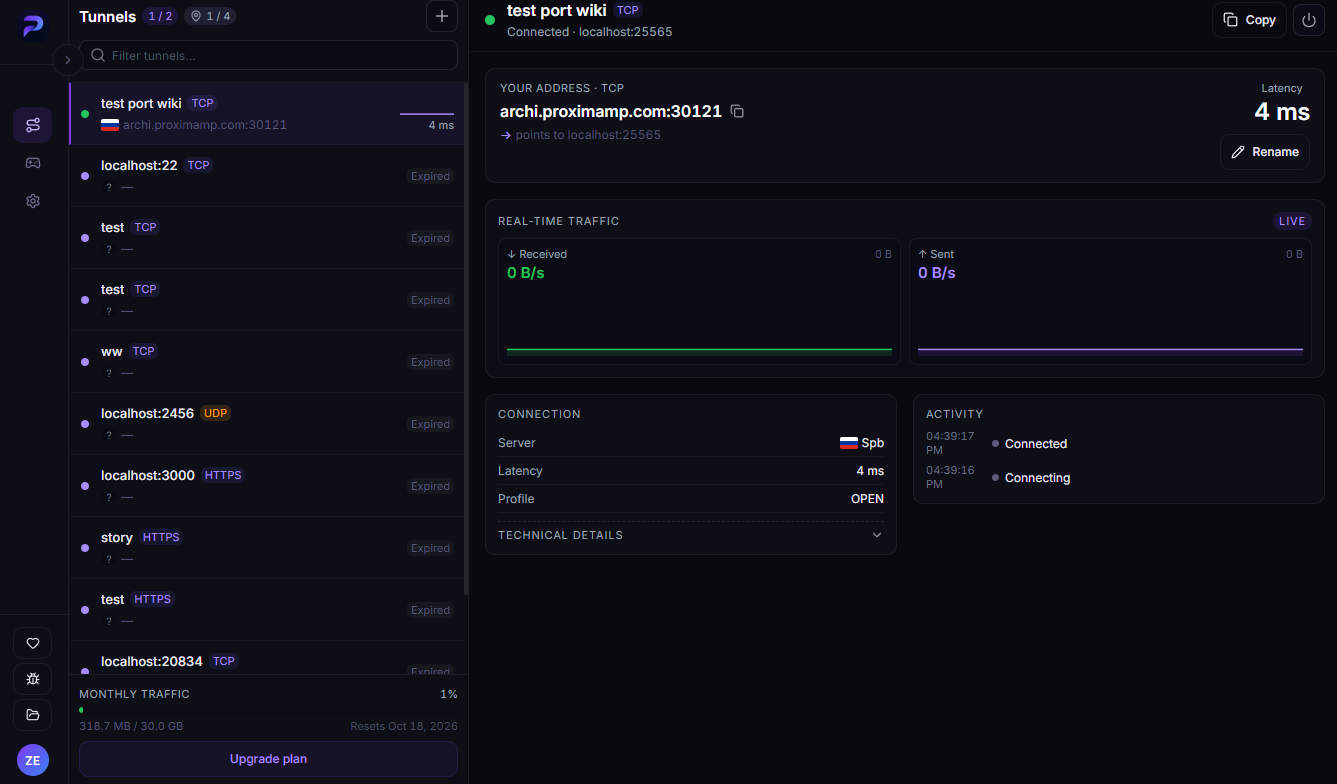
Step 1. Open the Tunnels screen
Launch ProximaClient, click the first icon in the left sidebar, then the + button.
Step 2. Fill in the New tunnel dialog
- Name — something like "CS 1.6" or "TeamSpeak".
- Protocol — pick UDP. This is the step that matters: on TCP, voice and games simply will not work.
- Local port — the server port you just checked with
netstat. - Location — see below; this matters more for UDP than for TCP.
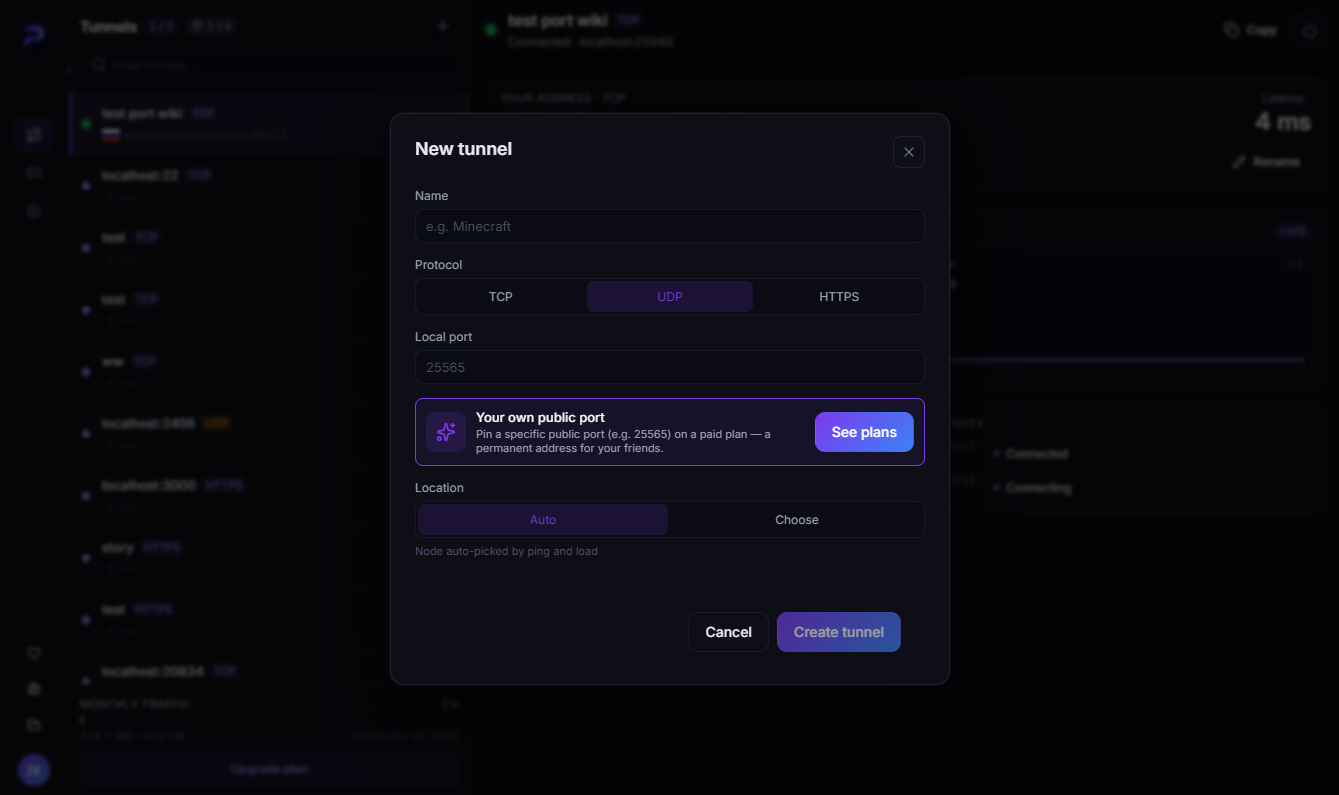
Click Create tunnel.
Step 3. Pick a node by ping
People choose UDP for low latency, so the node is worth choosing deliberately. Switch Location to Choose and the client lists the available nodes with the current ping to each.
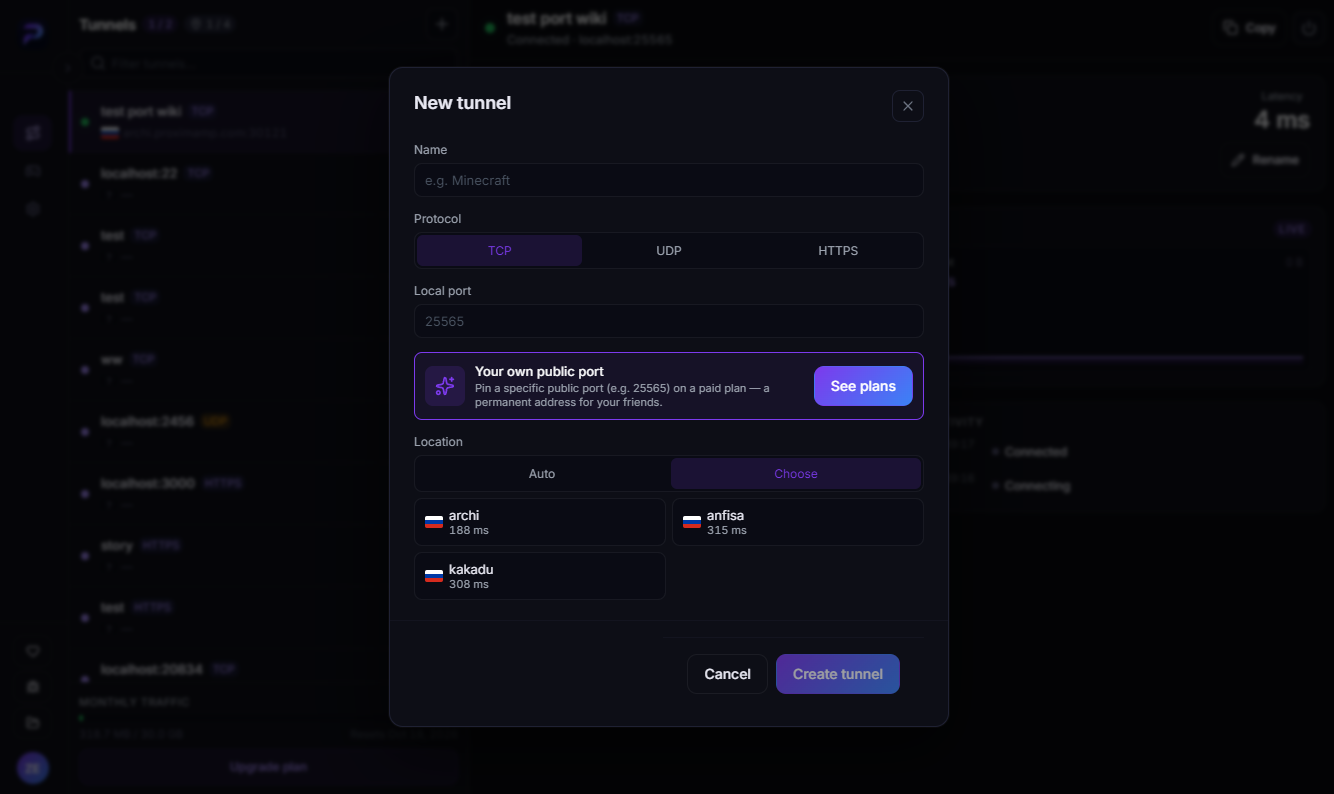
The ping shown is from you to the node. Everyone connecting adds their own path to that same node, so for a game with friends in one city, pick a node close to all of you.
Step 4. Hand out the address
The tunnel card shows a Your address · UDP block with an address like archi.proximamp.com:30121. Copy the whole string, port included:
- in CS 1.6 and other GoldSrc games — in the console,
connect archi.proximamp.com:30121; - in TeamSpeak or Mumble — into the server address field.
When a service needs both UDP and TCP
Some services need more than one protocol. TeamSpeak 3 carries voice over UDP 9987 while file transfer and server queries go over TCP. GoldSrc servers run the game on UDP 27015 and RCON over TCP on the same number.
A tunnel covers one port and one protocol, so in that case create two tunnels — one UDP, one TCP. Each takes its own slot against your plan limit.
When it will not connect
- TCP was created instead of UDP. The most common cause by far. Check the protocol badge on the tunnel in the list.
- The server is not running. Check with
netstat -ano -p UDP. - Address without the port. The external port almost never matches the local one, so copy the whole address.
- The service needs a port range. Valheim uses 2456–2458. Start with the main port (2456); if the game insists on the rest, each needs its own tunnel.
- High ping. Pick a different node under Location → Choose.
FAQ
Why is the external port different from my local one? It is assigned automatically. Pinning a specific external port is a paid-plan feature — the Your own public port block in the create dialog; details on the ProximaTunnel page.
Does the tunnel add latency? Traffic goes through a node, so there is always a small addition. Nodes are in Russia, so the closer you are to that region the smaller it gets.
Do the people connecting need the client? No, only you do, on the machine running the server.
Can I open UDP and TCP on the same port? Those are two separate tunnels, each with its own external address.
Open your UDP port
Download ProximaClient for Windows → — the starter plan is free.
Related: how to expose a local port to the internet · how to create a CS 1.6 server in ProximaClient · how to create a game server