
A webhook came in and crashed. What was in it?
With ProximaMP
The log shows its headers and body. Fix your code and replay the same request in one click.
A public TLS link in a couple of clicks, no public IP or port forwarding. Request log, replay and webhook checks in the same window.
Free plan: 2 tunnels and 30 GB of traffic
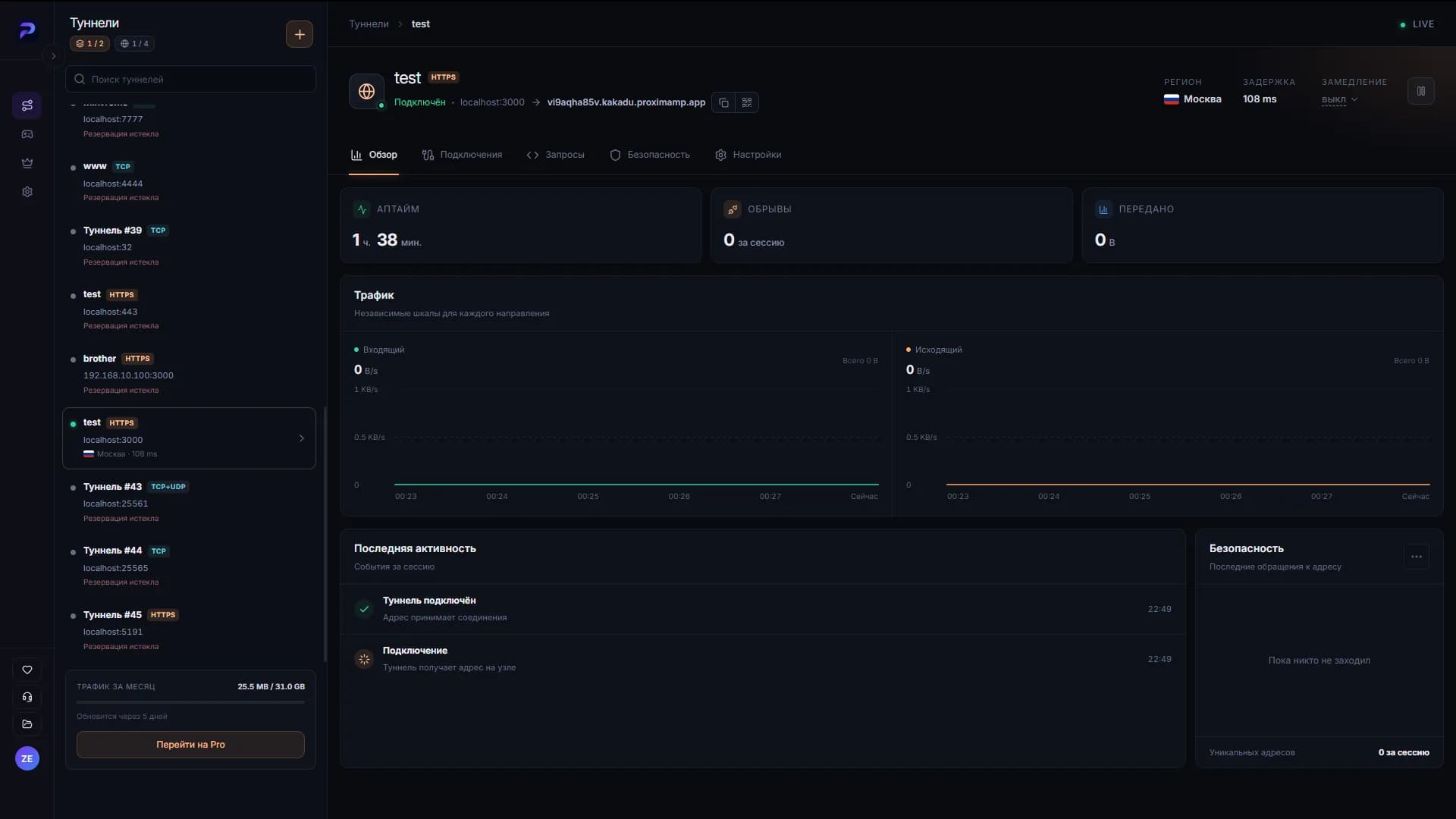
Three situations people usually install a tunnel for.
The log shows its headers and body. Fix your code and replay the same request in one click.
An https://… link to your localhost and a QR code for the phone.
The tunnel reaches out on its own, even from behind your provider’s NAT.
The analyzer is built into the HTTPS link: nothing to install or set up.
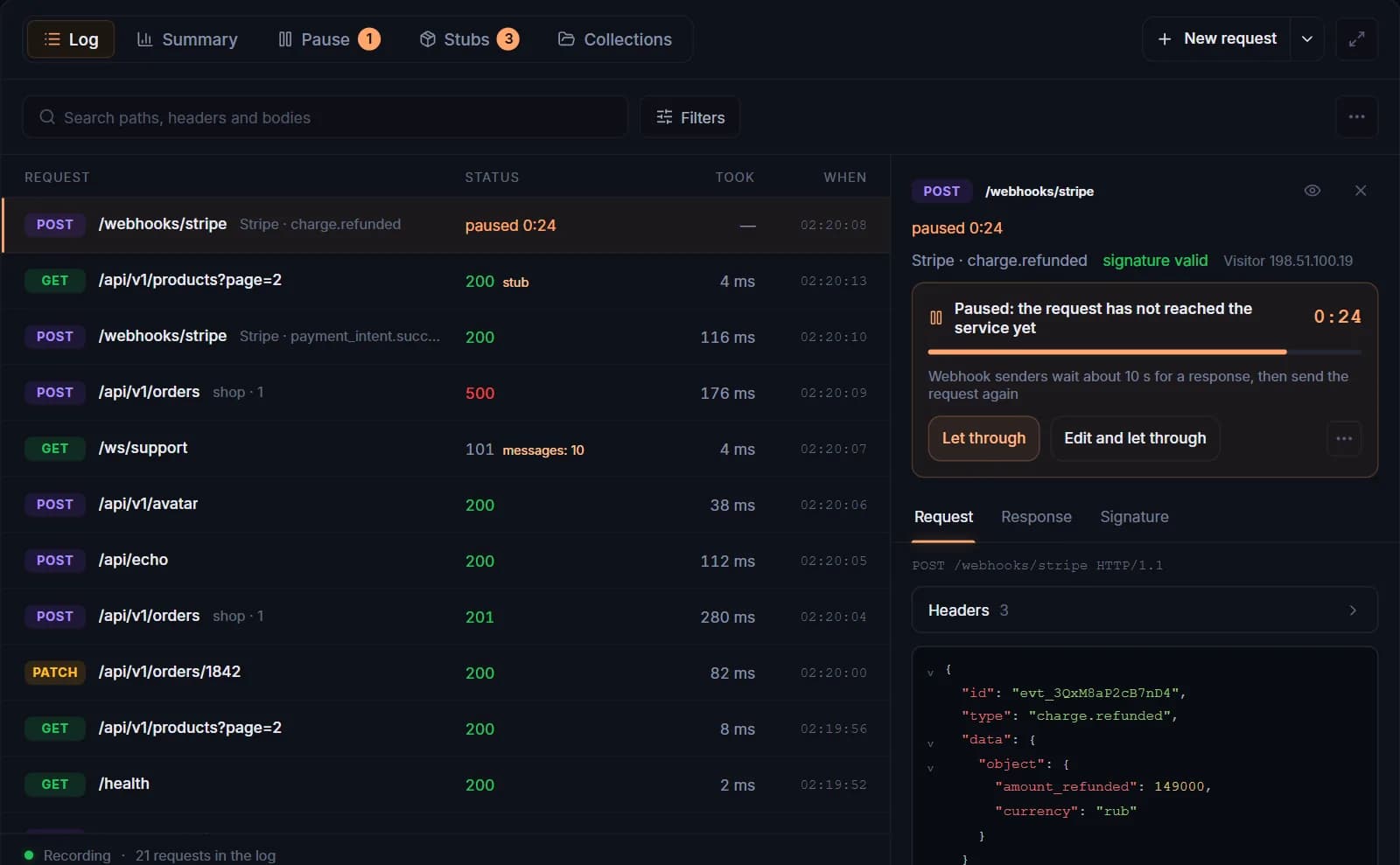
A live log of the link: method, path, status, response time, size and who sent it.
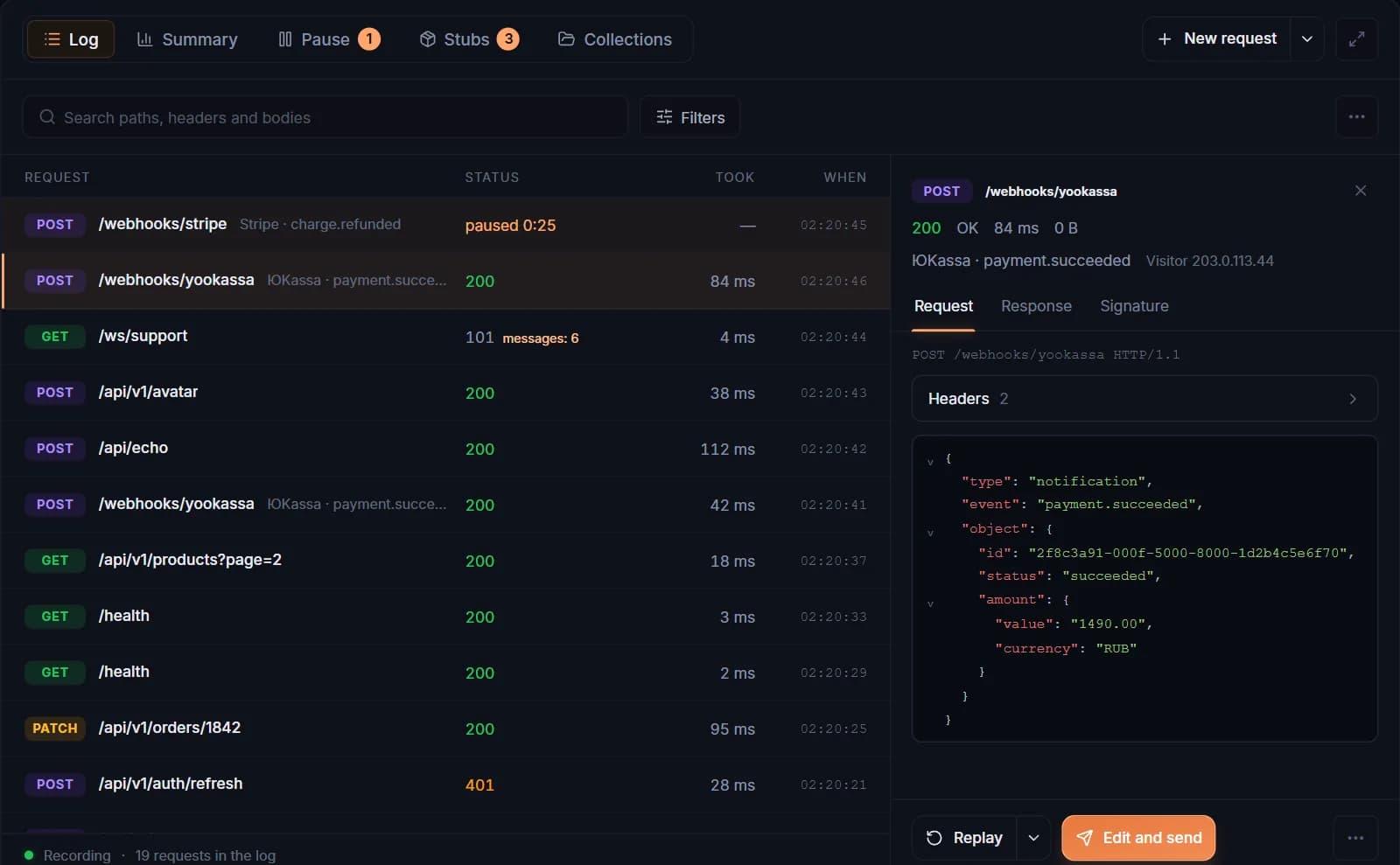
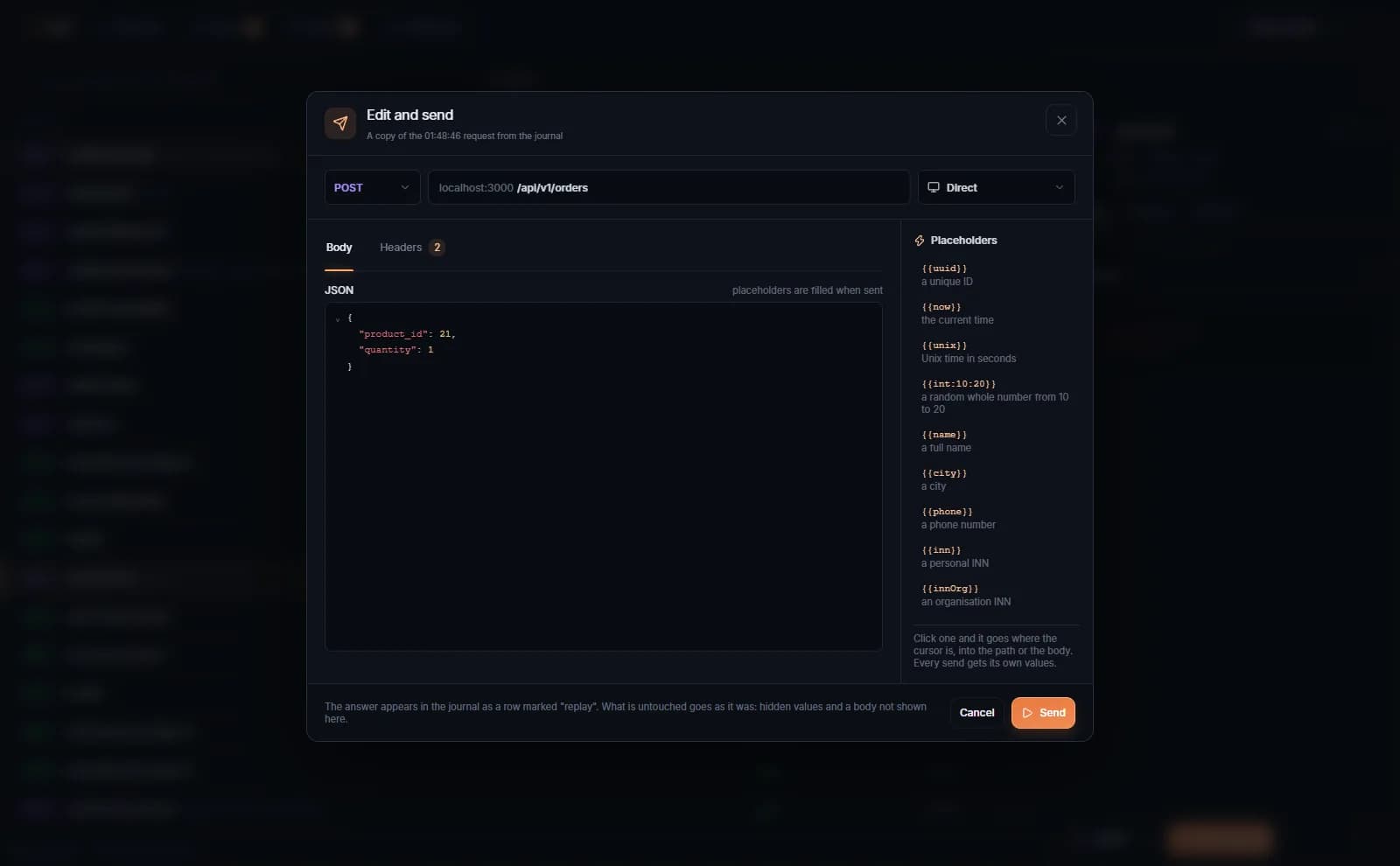
Replay a request straight into your service, with no internet and no plan traffic. Or tweak the method, headers and body first.
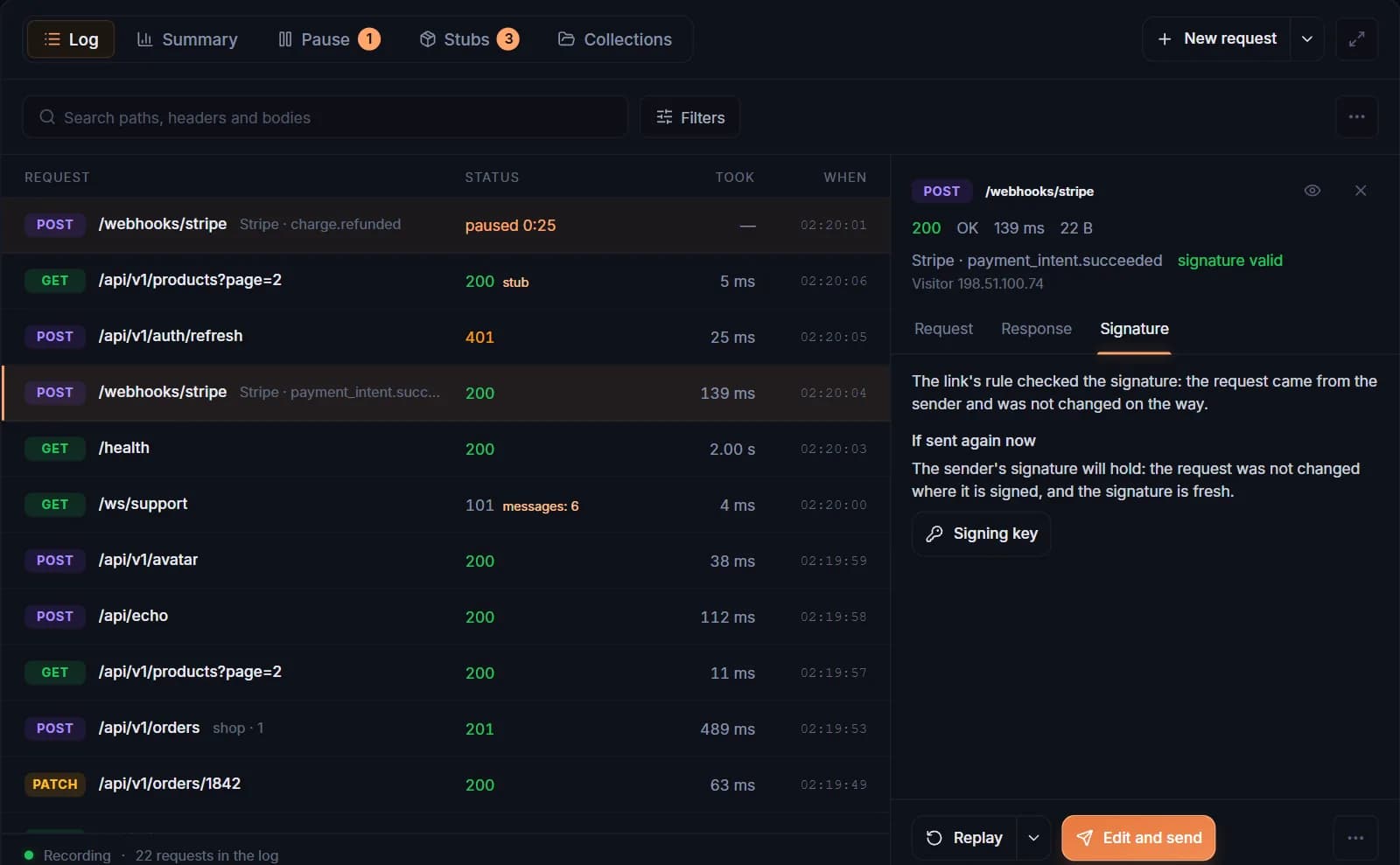
The analyzer recognises the sender and the event, with custom rules for any other service. A rule on a path lets through only webhooks with a valid signature.
Pause holds a request before your service or a response before the visitor. Let it through, edit it or answer instead of the service.
Slow down any tunnel, TCP and UDP included, and see how your service copes with a weak connection.
What else ProximaClient does besides the request log.
SSH, databases, games and voice. The Connections tab shows every connection.
A NAS, a camera or another PC on your network.
Login and password, keys for apps and path rules.
ProximaMP builds a network your services use to reach the internet. The tunnel is the first product on it.
Puts any local port on the internet: TCP, UDP and an HTTPS link with the request analyzer. Works in ProximaClient and from the CLI.
More about the tunnelOne window for every ProximaMP product: tunnels, the analyzer, game servers. Everything it needs installs itself.
More about ProximaClientPick what you work on.
A webhook Telegram bot without deploying: point setWebhook at the link and every update lands in the log.
| ProximaMP | tuna.am | fxTunnel | ngrok | Cloudflare Tunnel | |
|---|---|---|---|---|---|
| Prices | |||||
| Free | 2 TCP, UDP or HTTPS tunnels, 30 GB a month | 1 tunnel, HTTP only | 1 HTTP and HTTPS tunnel, unlimited traffic | 1 GB and 20k requests a month | free, but only HTTP and HTTPS are public |
| Cheapest paid plan | Pro: 250 ₽ for 30 days | Profi: 299 ₽ a month | Base: 205 ₽ a month | Hobbyist: $10 a month | the tunnel is free; TCP and UDP for everyone via paid Spectrum |
| Protocols | |||||
| UDP | yes, on every plan | no | paid plans only | no | only with the Cloudflare app on the client or via Spectrum |
| TCP | yes, on every plan | paid plans only | paid plans only | yes, free after a card check | only with the Cloudflare app on the client or via paid Spectrum |
| HTTPS link | yes, no interstitial page | yes; on the free plan an interstitial page first | yes | yes; on the free plan an interstitial page first | yes |
| Debugging | |||||
| Request inspector and replay | yes, free: log, search, replay with edits, curl and HAR | yes | yes | yes; 24-hour history on free | no, live logs only |
| Webhook signature checks | 8 senders and custom HMAC: Stripe, GitHub, GitLab, Slack, Sentry, Linear and more | 4: GitHub, GitLab, Sentry, Linear | not found on the service’s pages | 67 senders | no |
| Protection | |||||
| IP lists | yes, for TCP, UDP and HTTPS | HTTP on every plan, TCP on paid | yes | yes, except UDP | yes, via Cloudflare Access |
Checked on October 25, 2026 against the services’ pricing and documentation pages. “—” means we did not find it on their pages. Prices and terms change.
Pro and Ultimate add pause, stubs, failures, network slowdown, collections and load runs.
Don't have ProximaClient yet?Download the app
Didn’t find an answer? Write to us on Telegram, we reply fast.
UDP, and TCP and UDP on the same port, work on every plan; ngrok has no UDP at all. The free HTTPS link opens without a browser warning page, and the free plan includes 30 GB of traffic a month versus 1 GB at ngrok. The request analyzer with pause, stubs and signature checks is built into the app, nothing extra to install.
2 tunnels, 30 GB of traffic, an HTTPS link, the log, replay, search, export and the first webhook rule. Pause, stubs, slowdown and collections are on Pro and Ultimate.
Only on your computer. The log keeps about the last 500 requests, and secrets are hidden by default.
Lock the link with a login and password, keys for apps and path rules, and block a visitor’s address in the Connections tab. Turn the tunnel off and the link stops working.
On Windows there is ProximaClient and the proximamp command-line program. On Linux there is proximamp and a Docker image. On macOS you can run the tunnel through Docker.
For now only by card for 30 days, no auto-renewal. If you need to pay by invoice, write to us on Telegram.