
How to create a Condition Zero server in ProximaClient
Your own Counter-Strike: Condition Zero server means playing with friends and bots on your maps and by your rules. In ProximaClient you can set one up on your PC in a couple of minutes: no hosting to rent, no manual SteamCMD setup, no config editing. Let's go through how to create a Condition Zero server in ProximaClient.
What you'll need
- A Windows PC and ProximaClient.
- A ProximaMP account — if you want to open the server to friends through a public tunnel.
Creating the server
- Open ProximaClient, go to the Game servers screen — the gamepad icon in the left menu — and click Add server.
- On the Game step, pick Condition Zero and click Next.
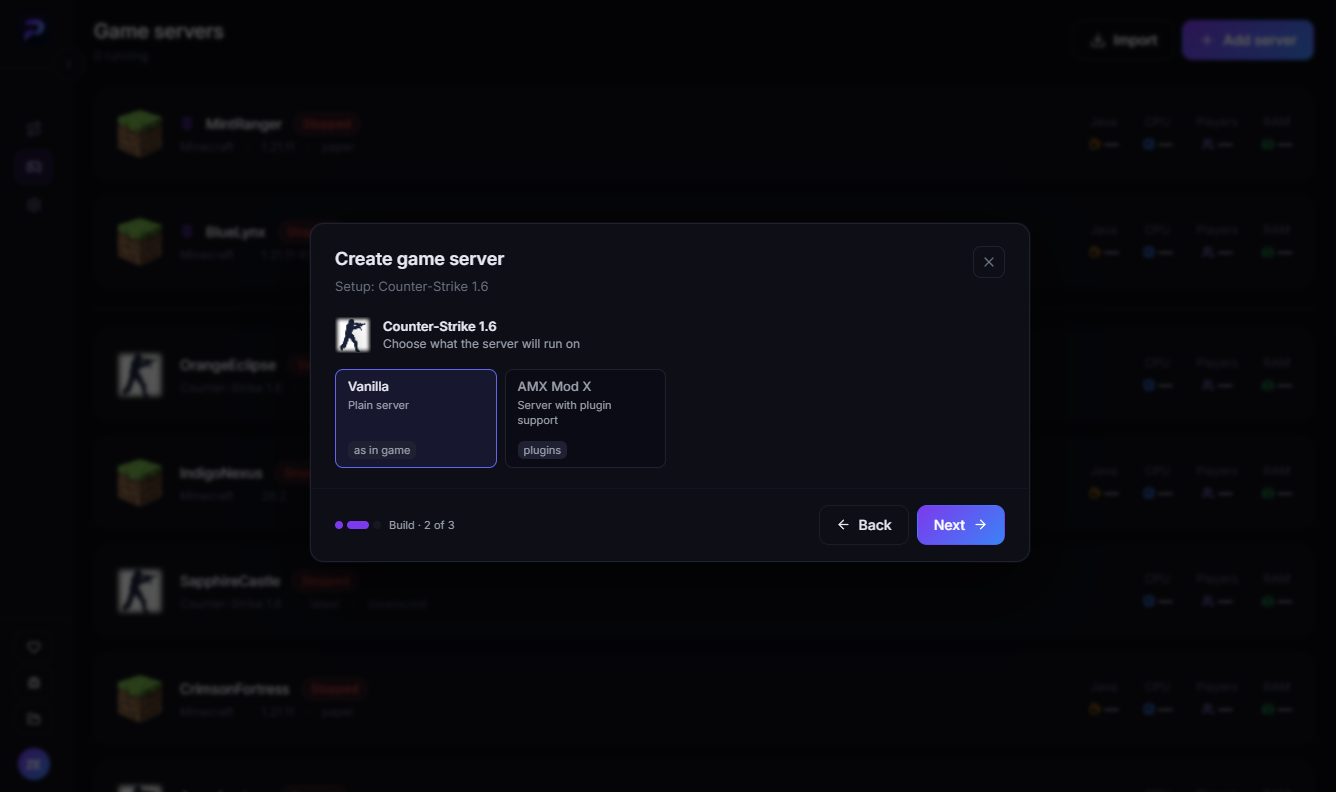
- On the Build step, choose what the server will run on and click Next:
- Vanilla — a plain server, as in the game;
- AMX Mod X — a server with plugin support: admin tools, stats, map voting and more.
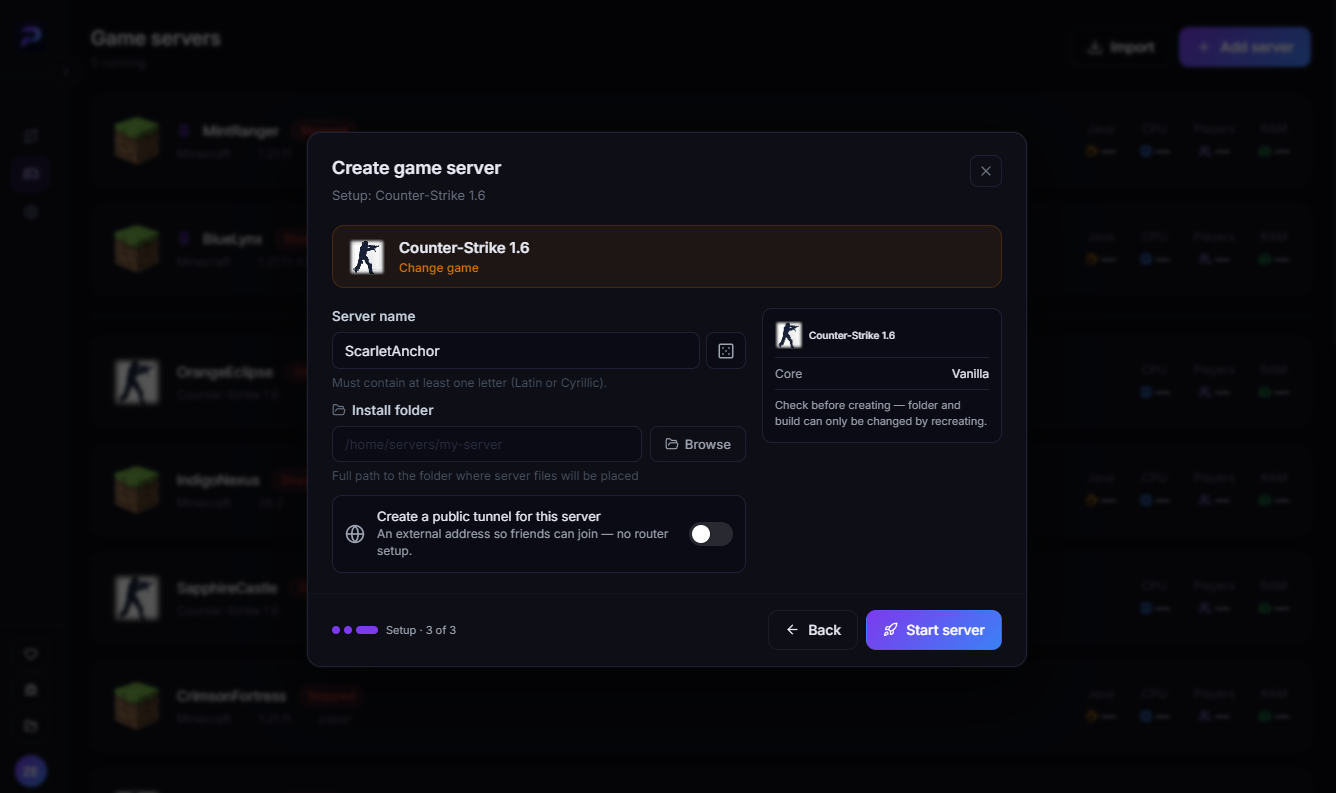
- On the Setup step, enter a server name and an install folder. So that friends can join without a public IP or router setup, turn on Create a public tunnel for this server.
- Check the summary on the right — the folder and the build can only be changed by recreating the server — and click Start server.
The Build and Setup steps for Condition Zero work the same way as for Counter-Strike 1.6, with the same two builds. The screenshots show CS 1.6:
ProximaClient downloads the server files and starts the server for you. More about the creation window in How to create a game server in ProximaClient.
How friends join
Send your friends the server's external address — the public tunnel provides it. Then each of them launches Condition Zero, opens the console with ~ and types the full address:
connect server_address
If the console doesn't open, add -console to the game's launch options: in Steam, open Counter-Strike: Condition Zero's properties and put the parameter in the launch options field.
What you can configure in ProximaClient
Once the server is running, you manage it right from the app:
- AMX Mod X plugins (in the AMX Mod X build) — enable, disable and remove them on a separate tab.
- Players — the list of who's on the server right now.
- Maps — change the map and set the starting map in the launch options.
- Launch options — slots, port and address, VAC, custom parameters, auto-restart on crash and autostart with the app. The server updates to the latest version via Steam.
- server.cfg — clear fields and toggles instead of manual editing.
- Console — command hints as you type, your own quick commands and log filters.
- Scheduler — backups, restarts and console commands on a schedule.
- Server files — create and delete files and folders, an editor with syntax highlighting.
- Monitoring — real-time CPU and memory load.
All features are on the Condition Zero server page.
FAQ
Vanilla or AMX Mod X? If you want plugins — admin tools, stats, map voting — pick AMX Mod X. For a simple game with friends, Vanilla is enough.
Can I add bots? Yes, bots are built into Condition Zero. Add them with bot_add in the server console and set how many you want with bot_quota.
Can I switch from Vanilla to AMX Mod X later? The build can only be changed by recreating the server, so it's best to choose right away.
Do I need a public IP? No, if you turn on the public tunnel. It requires a ProximaMP account.
Does the server run on my computer? Yes, there's no hosting to rent.
Launch your Condition Zero server
Download ProximaClient for Windows → — and invite your friends to your own server.