
How to transfer a singleplayer world to a server
Also available in: Русский
Built a base in singleplayer and want to keep going with friends? Your singleplayer world can be moved to a Minecraft server in full — with all your builds and progress. Here are two ways: the fast one with ProximaClient and the manual one.
Where your singleplayer world lives
Singleplayer saves are stored in:
%appdata%\.minecraft\saves\<World Name>
Paste that path into your file explorer's address bar to see your worlds. The whole world folder is what you need to transfer.
Option 1. With ProximaClient (the fast way)
- Create a server if you don't have one yet — see How to create a Minecraft server in ProximaClient.
- Open the "World" tab in the header.
- Drag the world folder from the game straight into the window — or click "Add world".
- In the modal, either pick the world folder via the file explorer, or choose your world from the
.minecraft/saveslist and import it with one button. - Click "Make active" on the world you want.
- Start the server — your friends will spawn in your world.
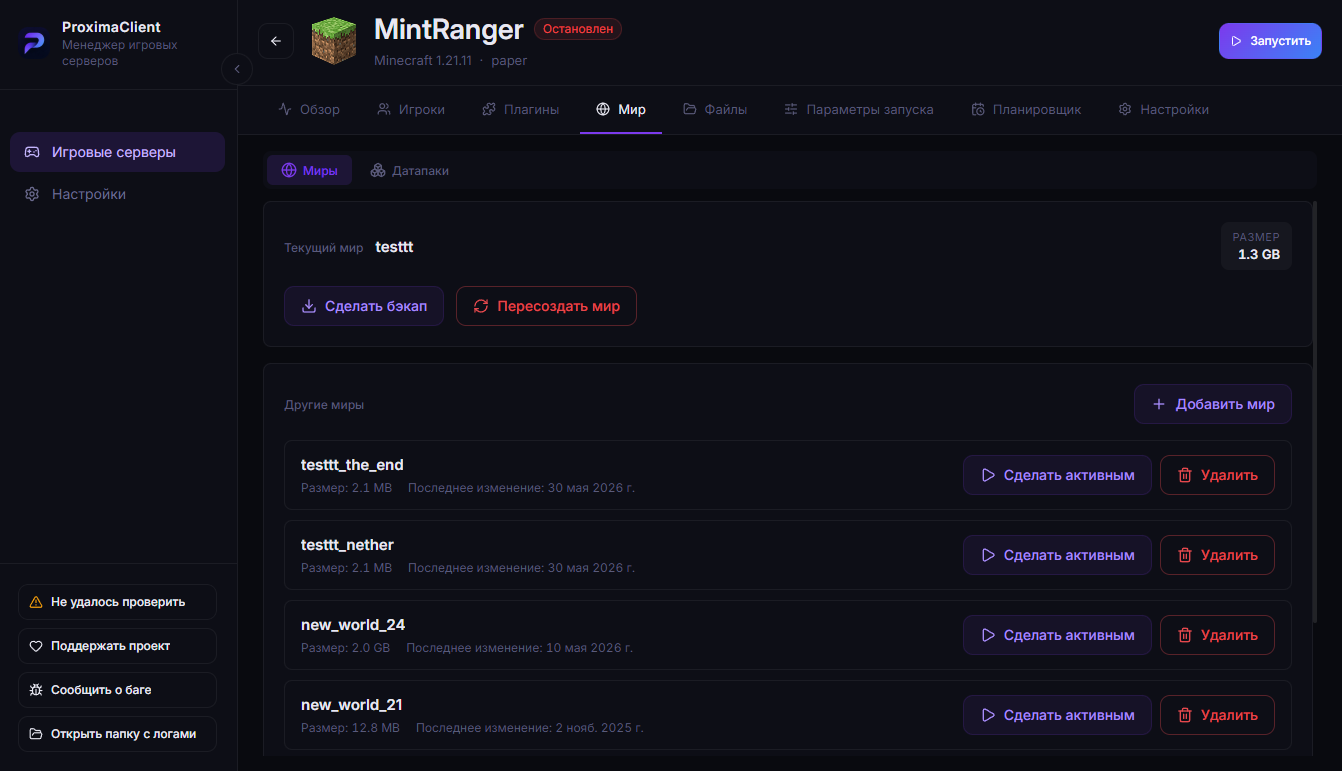
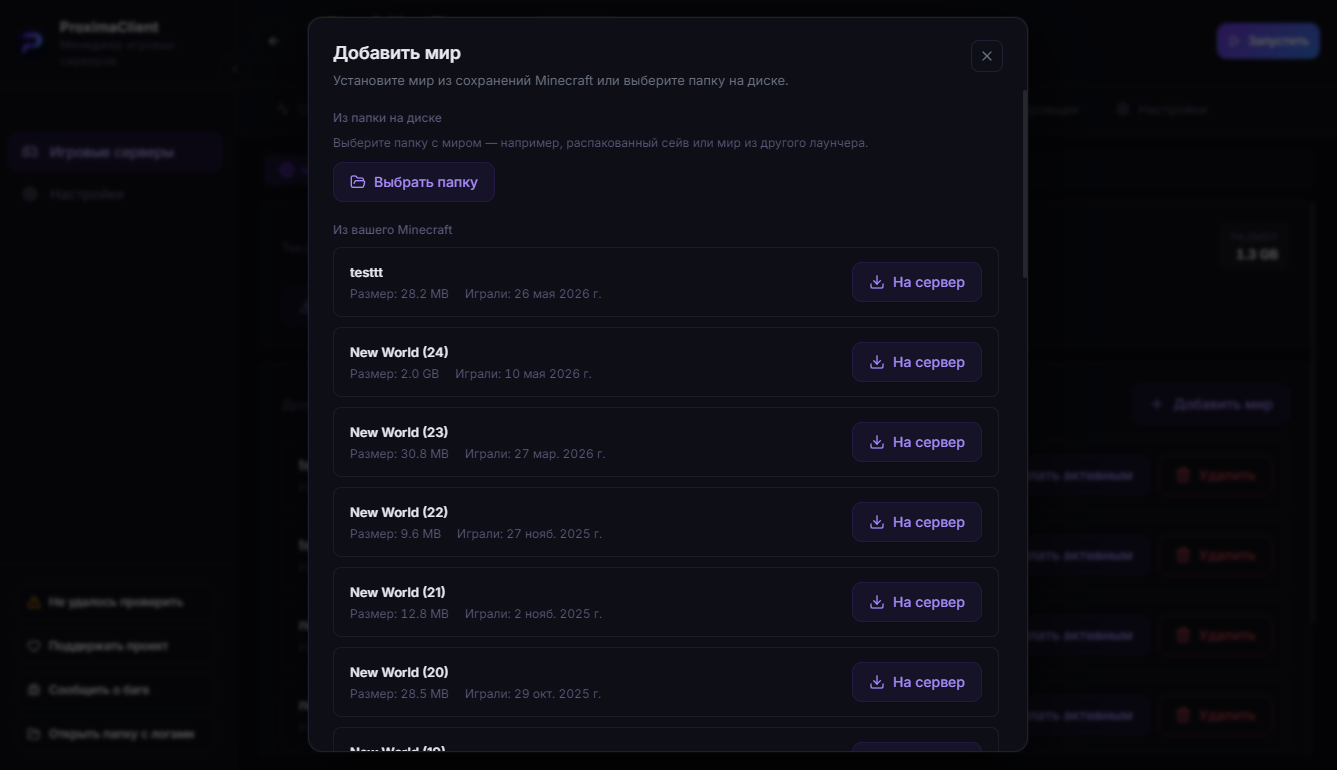
ProximaClient transfers the world in full, including the Nether and the End.
Option 2. Manually
-
Stop the server.
-
Copy your world folder from
.minecraft\saves\<Name>into the server folder. -
In
server.properties, set that folder's name inlevel-name:level-name=Your World NameOr just rename the folder to
world— that's the default value. -
Start the server.
Back up both the world folder and the server before transferring, just in case.
What to keep in mind
- Version. The server version must match the version the world was created in, or be newer — Minecraft will upgrade the world, but you can't roll it back.
- Mods and datapacks. If the world was made with mods or datapacks, install the same ones on the server, otherwise it won't load correctly.
FAQ
Will builds and inventory carry over? Yes, the world transfers in full — builds, chests, progress.
Nether and End didn't transfer (manual method)? On Paper / Spigot / Purpur cores the dimensions are stored in separate folders (<world>_nether, <world>_the_end), while in singleplayer they live inside the world folder. The Overworld always moves over; the Nether and End may need an extra step when transferred manually on these cores. Importing through ProximaClient moves the world in full.
Do I need the same seed? No, the seed is already baked into the transferred world.
Can I move the world back to singleplayer? Yes — copy the world folder from the server back into .minecraft\saves.
The easiest way — ProximaClient
ProximaClient imports the world straight from the game in a couple of clicks — pick a save, make it active, start the server. Download for Windows →