
How to create a Minecraft server in ProximaClient
Also available in: Русский
ProximaClient is a free launcher for creating Minecraft servers: you add a server, pick a core and version (or a ready-made template), and the app downloads the core and the right Java for you. No command line, no configs, no start.bat. Let's go through, step by step, how to create a Minecraft server in ProximaClient.
Before you start
Download and install ProximaClient for Windows: download →. Everything else happens inside the app.
Creating a server step by step
Creation is a wizard — it walks you from the name to the network.
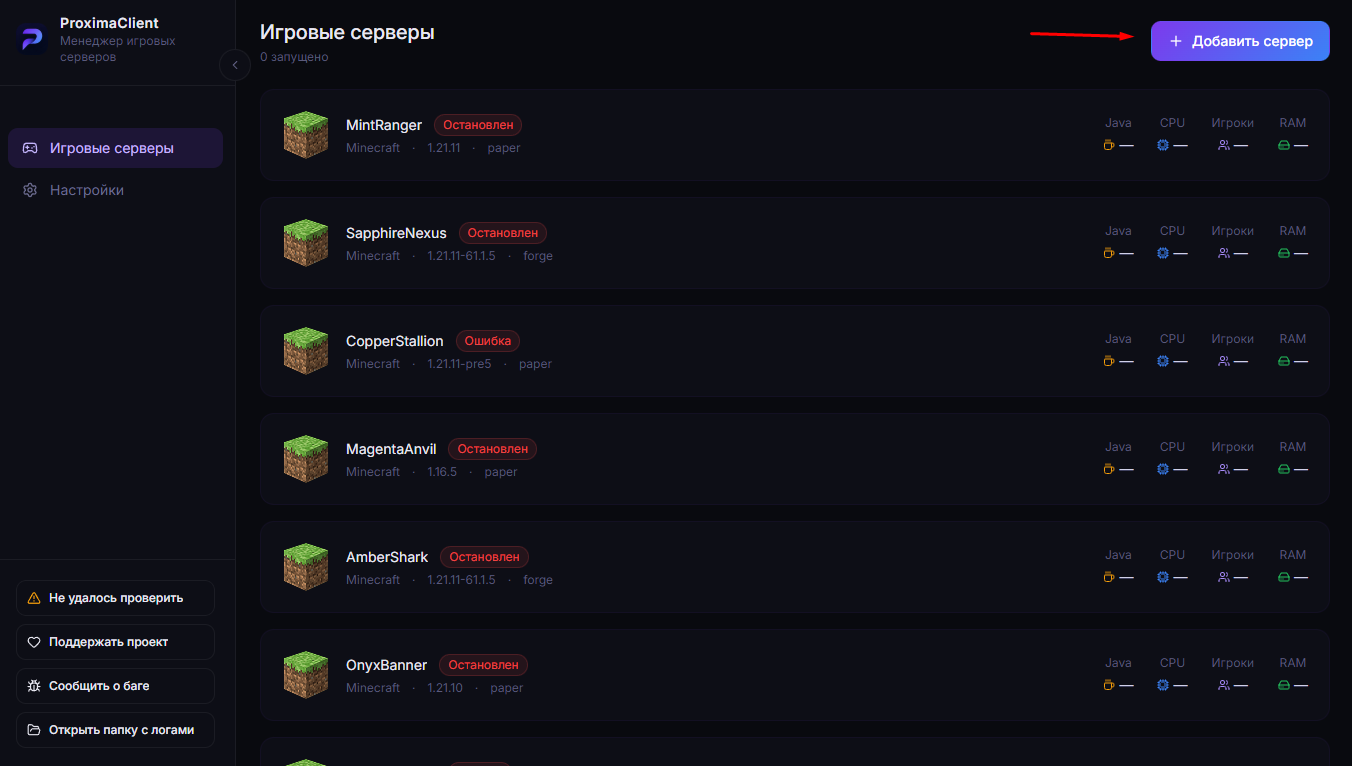
- Open ProximaClient and click "Add server".
-
Choose the game — Minecraft.
-
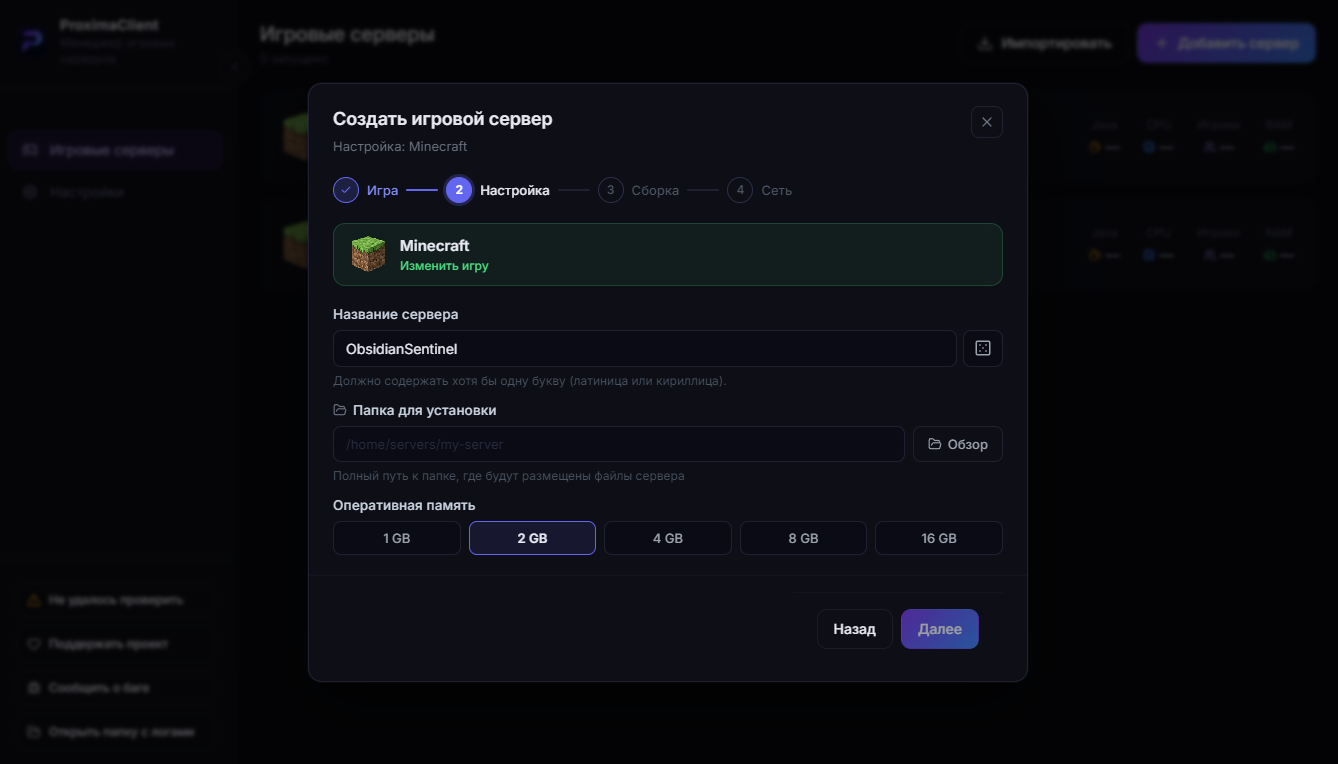
Enter a name for the server, the folder to install it into, and how much RAM to allocate.
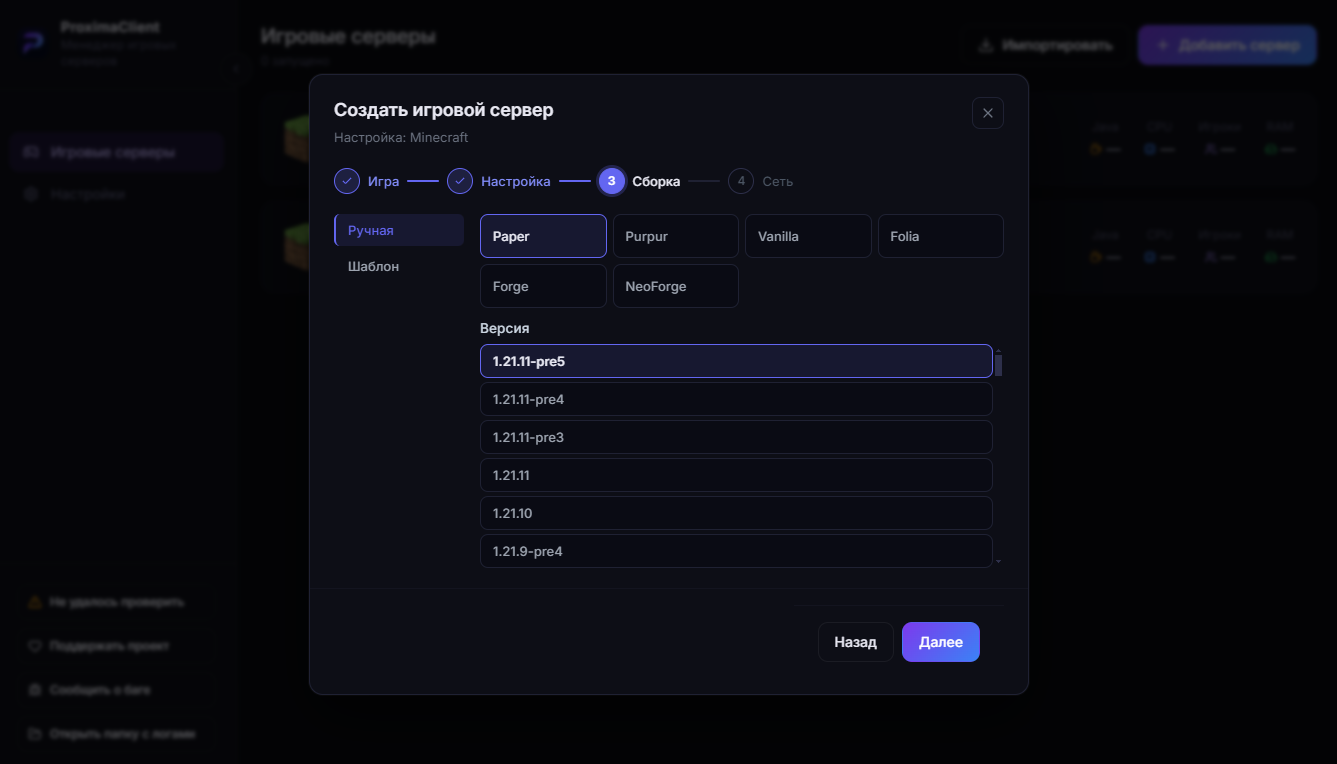
- Pick the server core and its version (for example, Paper 1.21.4). Or switch to the "Templates" tab on the left and deploy a ready-made server (see below).
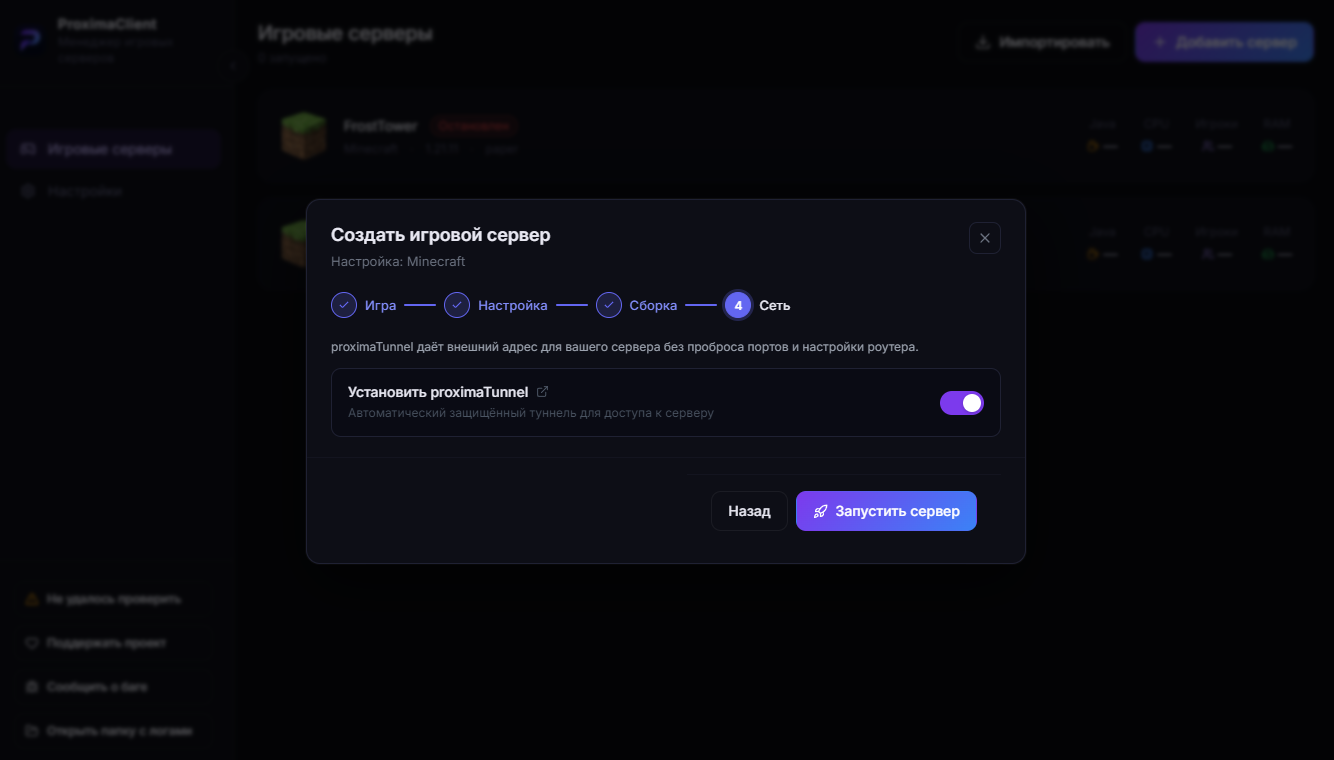
- If the chosen core supports ProximaTunnel, a "Network" step appears — here you can enable the tunnel so friends join without port forwarding. For cores without tunnel support this step is skipped.
Templates — a ready server in a couple of clicks
On the core selection step there's a "Templates" tab on the left — it's used instead of the manual setup. These are ready-made server archives from our own servers: pick a template and get a deployed server you can play on with friends right away.
Right now the "Bingo" minigame template is available. The list of templates will grow.
What happens next
After you create the server, ProximaClient automatically:
- downloads the chosen core (from a Russian mirror);
- installs the right Java version for that Minecraft version;
- prepares the server files.
The last thing left is to accept the EULA — Minecraft's license agreement. In the modal that appears, tick the agreement checkbox and confirm with the button. Without it, the server won't start.
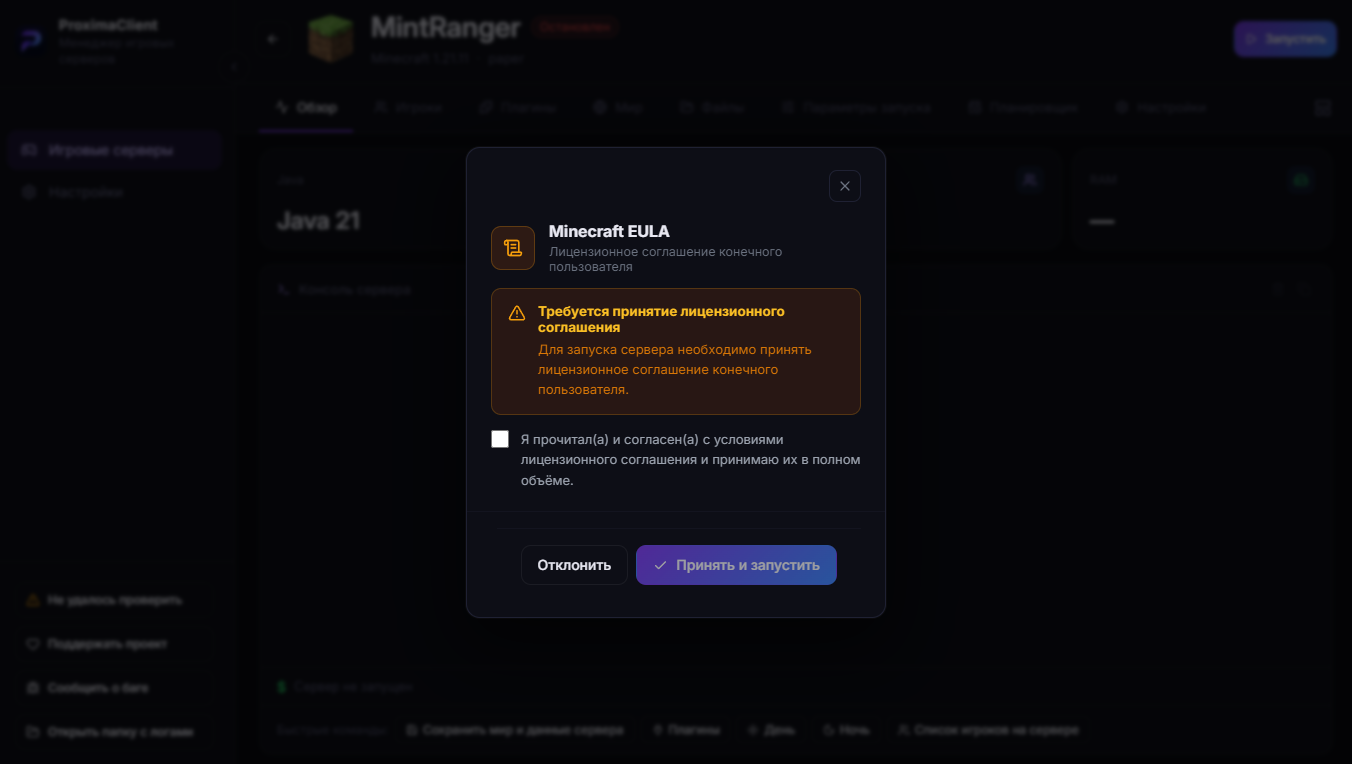
Done — the server is ready to launch.
FAQ
Do I need to install Java myself? No. ProximaClient installs the right version for the Minecraft version you picked.
How much RAM should I allocate? For 2–5 players, 2 GB is enough; for modpacks, 4 GB and up. Don't give the server all your PC's memory — leave some for the system.
What are templates? Ready-made servers from archives — deployed in a couple of clicks. Right now there's the "Bingo" minigame for quickly playing with friends.
What does ProximaTunnel do on the "Network" step? Friends join your server at a name.proximamp.com address without a public IP or port forwarding. More in Minecraft server without port forwarding.
Can I set up a server manually, without the app? Yes — see the How to create a Minecraft server on your PC guide.
Launch your first server
Download ProximaClient for Windows → — and create your own server in a couple of minutes, with no terminal and no configs.