
How to install plugins on a Minecraft server
Also available in: Русский
Plugins add new features to your server: land protection, economy, permissions, minigames. Let's go through how to install plugins on a Minecraft server — manually and in a couple of clicks with ProximaClient.
Which cores support plugins
Plugins only work on Bukkit-family cores: Bukkit, Spigot, Paper, Purpur and their forks. If your server isn't on such a core yet, see How to create a Minecraft server on your PC.
Plugins are not mods. On Forge and NeoForge cores you install mods (a different format, needed both on the server and on every player's client). On pure Vanilla neither plugins nor mods work. For plugins you need Paper or another Bukkit core.
Where to get plugins
Only download plugins from official sources:
- Modrinth — modrinth.com
- Hangar (by PaperMC) — hangar.papermc.io
- SpigotMC — spigotmc.org
Important: don't download "free" versions of paid plugins from random sites — they often hide viruses, miners or backdoors. That kind of "saving" can cost you the whole server.
Option 1. Manually
- Download the plugin
.jarfor your server's version. - Put the file into the
plugins/folder in the server directory. - Restart the server — the plugin loads and creates its config files.
- The plugin's config appears in
plugins/<PluginName>/.
Option 2. With ProximaClient
In ProximaClient, the "Plugins" tab makes it easier:
- drag a
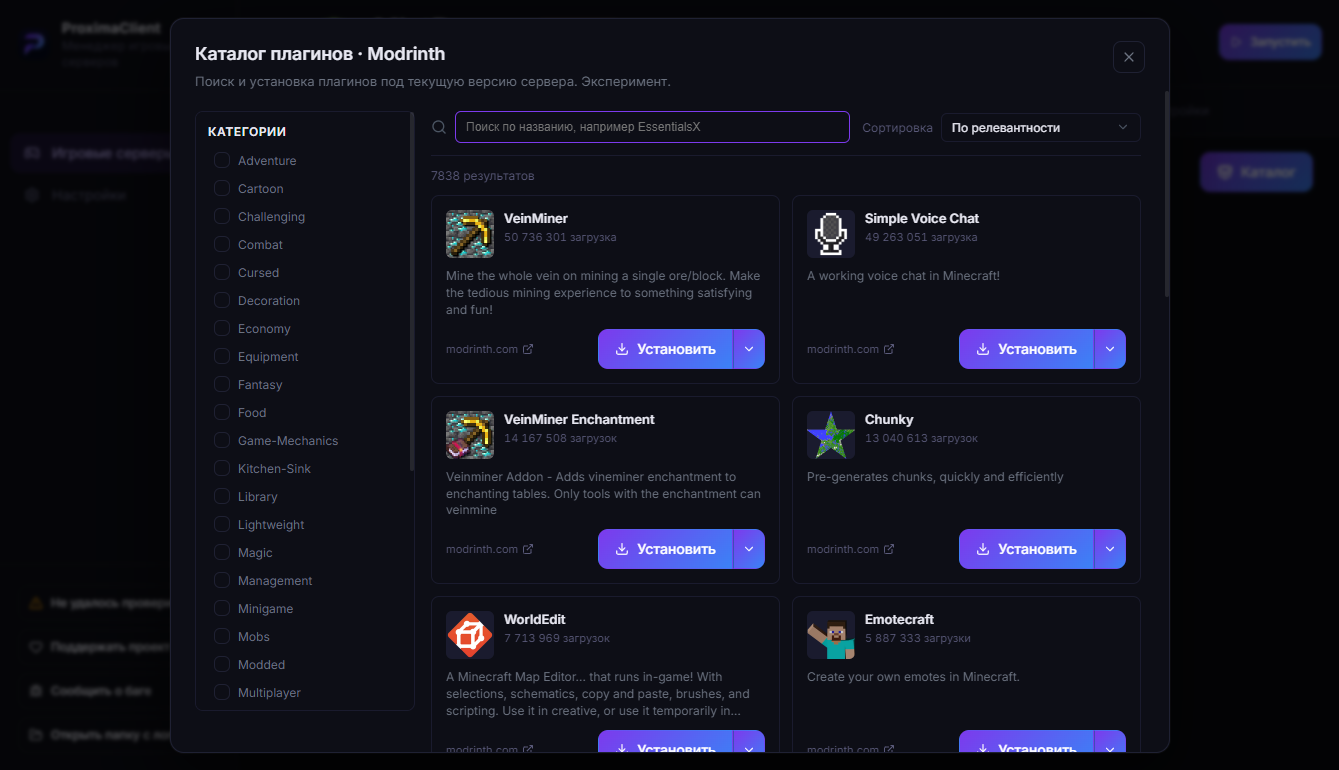
.jarstraight into the window — the plugin installs itself; - or install a plugin right from the built-in Modrinth catalog without downloading manually;
- enable, disable and delete plugins with buttons, edit configs in the editor.
FAQ
The plugin didn't load or doesn't work. Common causes: the wrong core (installed on Vanilla or Forge), an incompatible plugin/server version, or the plugin needs a dependency (such as Vault or another plugin). Check the console — the reason is there.
How are plugins different from mods? Plugins are installed on the server only (Bukkit/Paper cores) and require nothing from players. Mods (Forge/NeoForge) change the game itself and are needed both on the server and on every player's client.
Where do I find a plugin's settings? In the plugins/<PluginName>/ folder — it appears after the first launch with that plugin.
How many plugins can I install? As many as you want, but each one uses resources — lots of heavy plugins will cause lag.
Easier — with ProximaClient
In ProximaClient plugins install by drag-and-drop or straight from the Modrinth catalog — no hunting for .jar files. Download for Windows →