
Configuring ProximaTunnel: server password and icon
Also available in: Русский
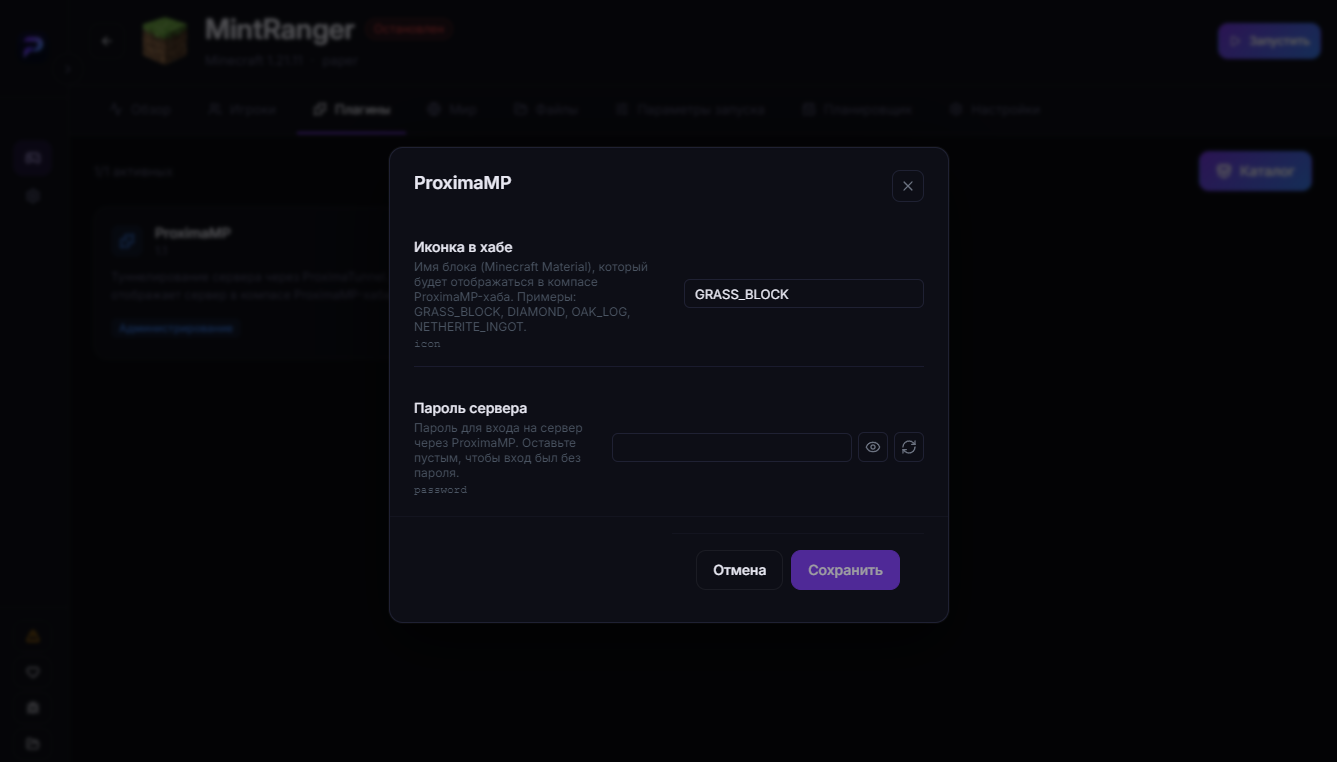
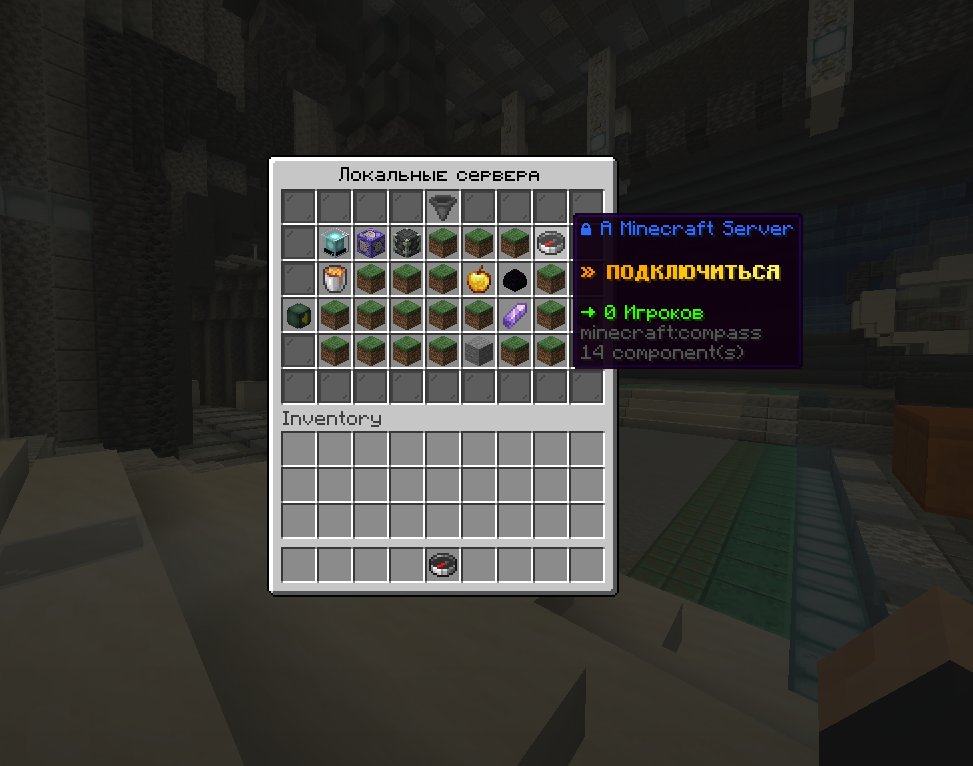
You can tailor ProximaTunnel to your needs: set a password to join and pick an icon shown for your server in the "Local servers" menu on proximamp.com. Do it through ProximaClient or manually in config.yml.
Where to configure it
Via ProximaClient
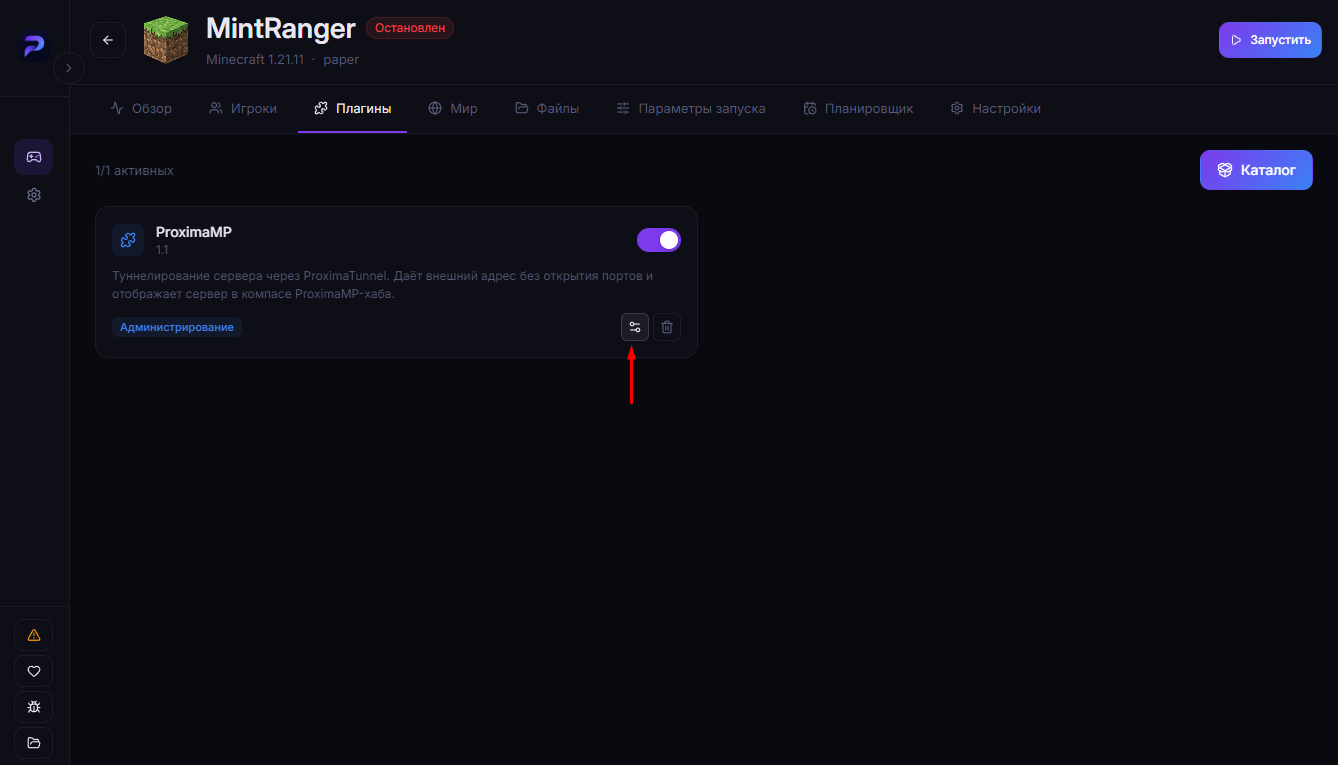
- Select your server.
- Open the "Plugins" tab.
- Click the gear icon next to the ProximaTunnel plugin — the settings window opens.
Manually (on your own server)
- Open your server folder.
- Go into the
plugins/folder. - Open the
proximampfolder. - Edit the
config.ymlfile.
Full path: plugins/proximamp/config.yml.
config.yml options
icon — the server icon
The icon shown for your server in the "Local servers" menu when connecting to proximamp.com. It takes a Minecraft material name:
icon: GRASS_BLOCK # e.g. BARRIER, DIAMOND, etc.
Any standard Minecraft block or item name works.
password — a password to join
The password players have to enter to connect to your server:
password: "my-password"
If you set a password, connecting via the direct
<motd>.proximamp.comaddress becomes impossible. Players can only join through theproximamp.comhub — find the server in the local servers list and enter the password.
The mod doesn't support settings
Settings (icon, password) are available only for the plugin — via config.yml or ProximaClient. The mod version of ProximaTunnel (Fabric/Forge for a singleplayer world opened to the network) doesn't support settings.
FAQ
Where's the config file? In the server folder: plugins/proximamp/config.yml.
What does the icon field accept? A Minecraft material name — for example GRASS_BLOCK or BARRIER.
Why use a password? To keep strangers out: with a password, joining is only possible through proximamp.com with the password entered, and the direct address is disabled.
Can I configure the mod? No, the mod version doesn't support settings — only the plugin does.
The easiest way — ProximaClient
All ProximaTunnel settings open in a couple of clicks in ProximaClient — no manual config editing. Haven't set up a server yet? Start with the Minecraft server without port forwarding guide.